
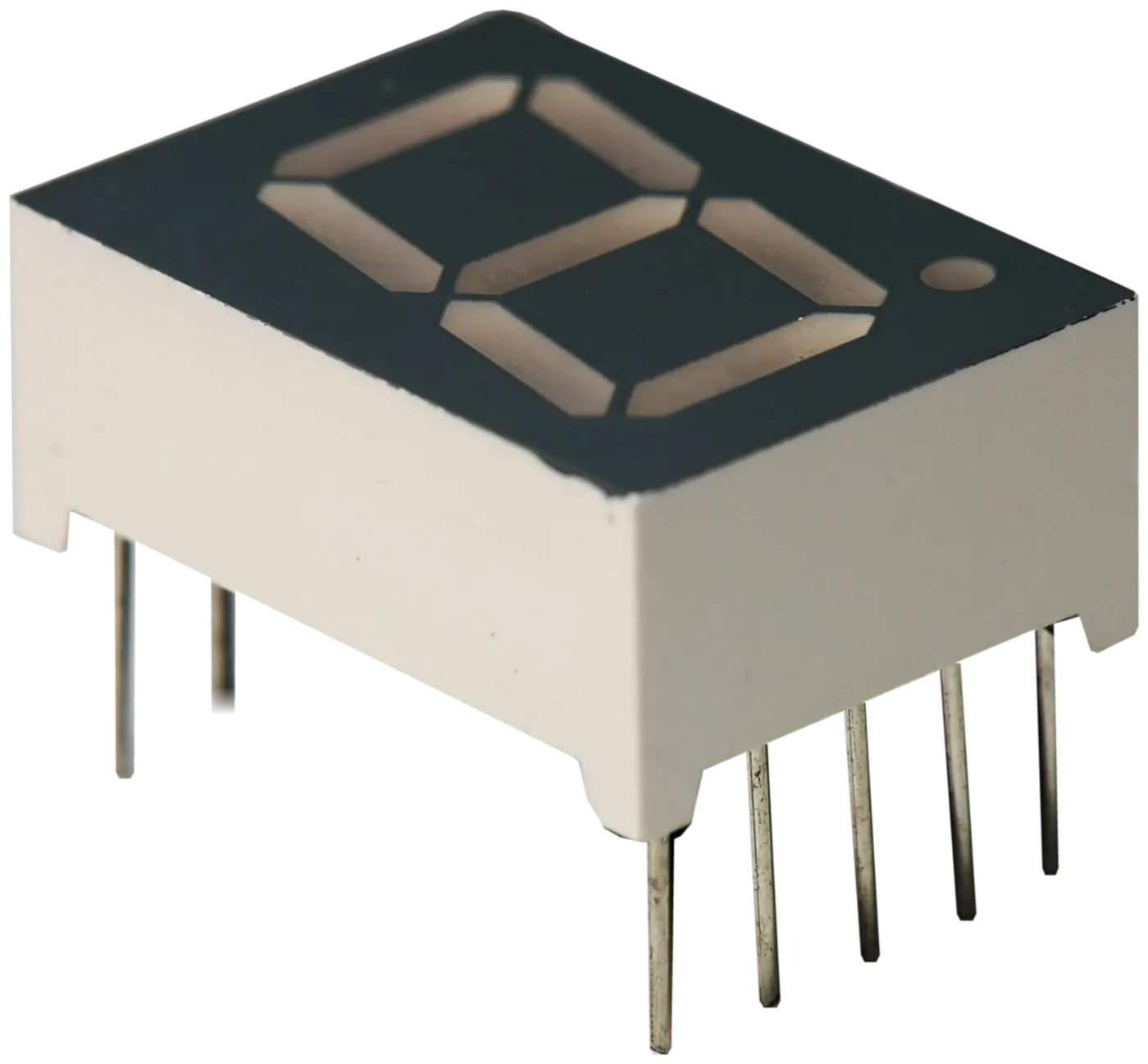
What is a 7‑segment display?
It’s seven LED bars — labelled a to g — arranged in a figure 8, usually with an eighth LED for the decimal point. Lighting different combinations of segments shows the digits 0 to 9 and some letters.
You’ll find them wherever a number has to be read at a glance: meters, counters, clocks, timers, scales and control panels.
What is a common anode display?
All the segments’ anodes (+) are joined to one shared pin, the common pin, which connects to the positive supply. A segment lights when its own pin is pulled low, towards 0 V, through a current-limiting resistor.
What is a common cathode display?
All the cathodes (−) share the common pin, which connects to ground (0 V). A segment lights when its own pin is driven high, again through a resistor.
| Common anode | Common cathode | |
|---|---|---|
| Shared pin connects to | Positive supply (+) | Ground (0 V) |
| A segment lights when its pin is | Low | High |
| From the front | Looks the same | Looks the same |
Why does the difference matter?
Because the circuit driving the display is built for one type or the other. Fit a common cathode display where a common anode one belongs and the segments won’t light as intended.
The driver chip is often a clue: some display driver ICs are made for common anode displays and others for common cathode. If you can read the driver’s part number, it helps confirm the type — see How to identify an IC.
Digit count, size and colour
Digit count
Displays come as single digits or as modules of two, three, four or more. Multi-digit modules usually share segment pins between digits and light them one at a time — multiplexing — so their pin layout differs from single digits.
Size
Size is the height of the digit, often given in inches — 0.56 inch is a common size, for example. Measure the height of the figure 8 itself, not the whole package.
Colour
Red is the most familiar; green, blue, yellow, white and other colours are also made. Colour affects the LEDs’ forward voltage, so a different colour can need different resistor values.
How do I identify an existing display?
- Read the part number on the side or back of the display.
- Count the digits and pins, and note any decimal points or colon.
- Measure the digit height.
- Note the colour when it’s lit.
- Check the type with a multimeter’s diode-test mode: red probe on the common pin, black on a segment pin. If the segment glows, it’s common anode; if it glows with the probes reversed, it’s common cathode.
Not sure? Send photos of the front and the pins, the part number, and the board it fits.
What to include in a 7‑segment requirement
- The part number, if readable.
- Common anode or common cathode.
- The number of digits.
- The digit height.
- The colour, and any decimal point or colon.
- The quantity.
V Bright Electronics India deals in 7‑segment displays and LEDs. For the chips that drive them, see integrated circuits.
Key takeaways
- Common anode: anodes share the positive pin. Common cathode: cathodes share ground.
- They look the same but aren’t interchangeable.
- Match the digit count, height, colour and pin layout too.
- A multimeter’s diode test tells the two apart.
- The driver IC’s part number can confirm the type.